
Project · VS Code extension
Flow Viewer & Diff
Renders flows in the OpenText Operations Orchestration format as diagrams right inside VS Code – and, above all, shows what actually changed between two Git revisions.
The problem
OO flows are versioned as XML. Simply moving a step produces hundreds of lines of diff made of UUIDs and coordinates. In code review you cannot tell whether someone changed an input or just tidied up the layout.
The solution
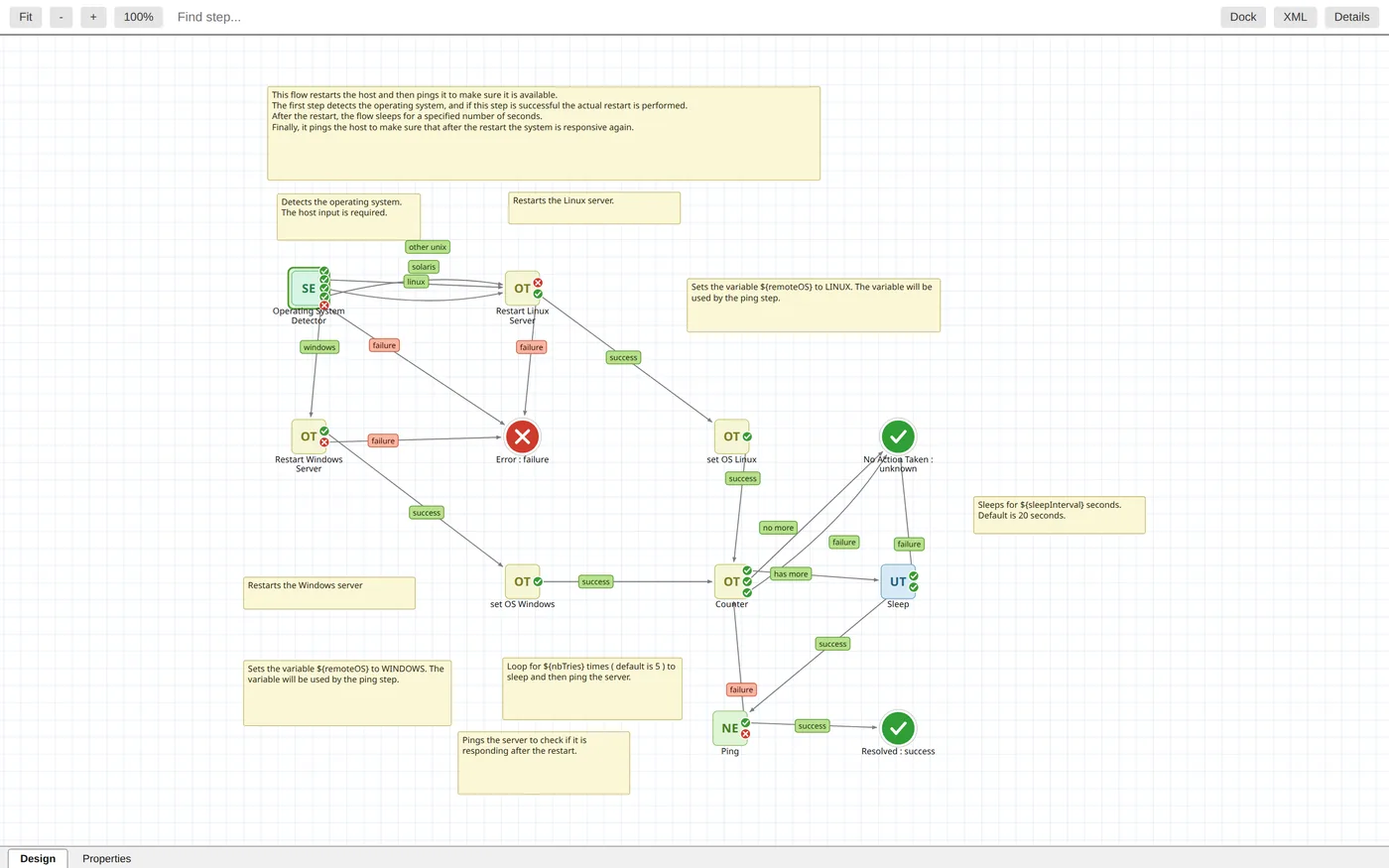
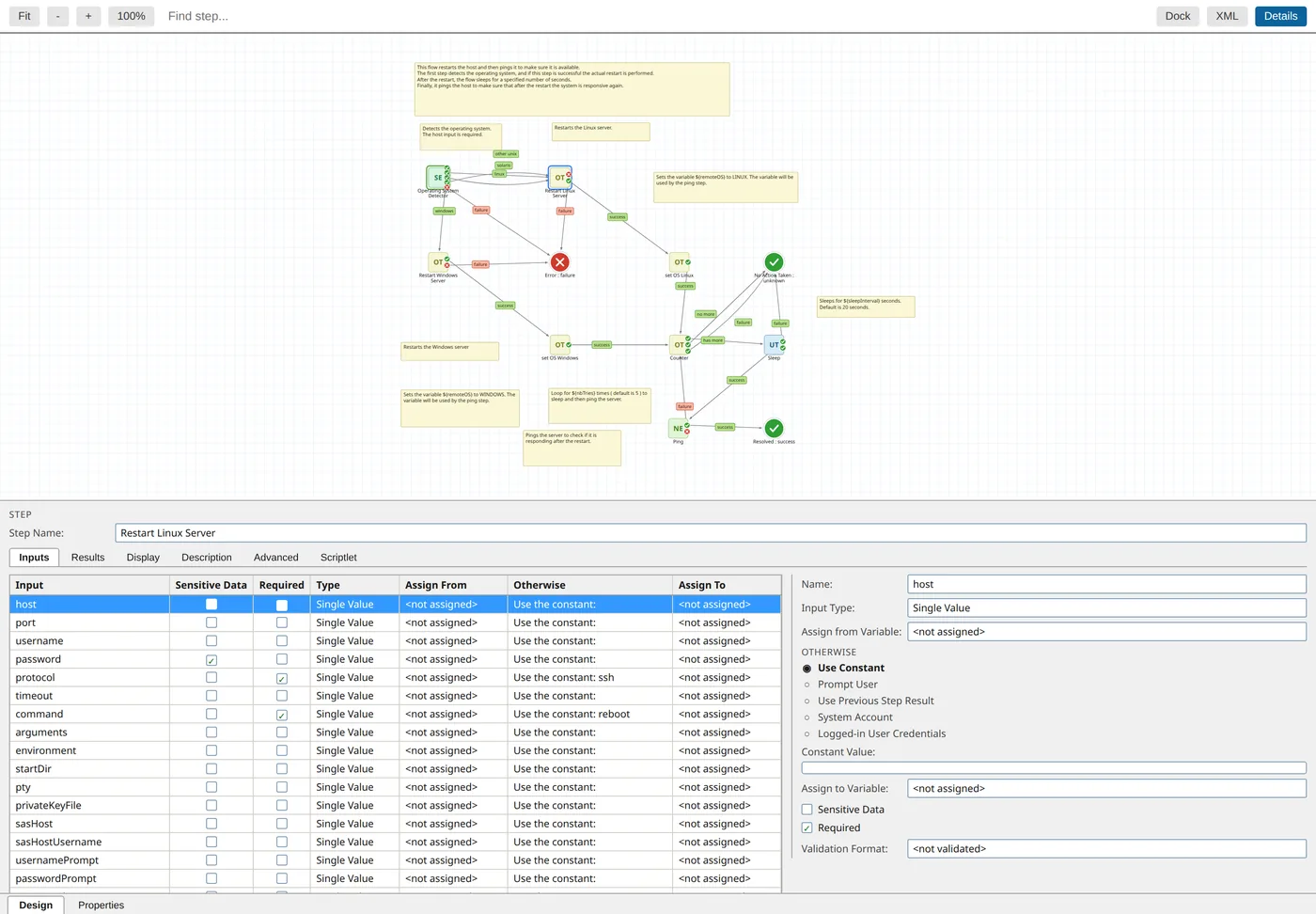
The extension renders the flow the way it looks in Studio – steps at their exact positions, response badges, return steps and callouts. An inspector shows the same tabs as Studio, and subflows open with one click.
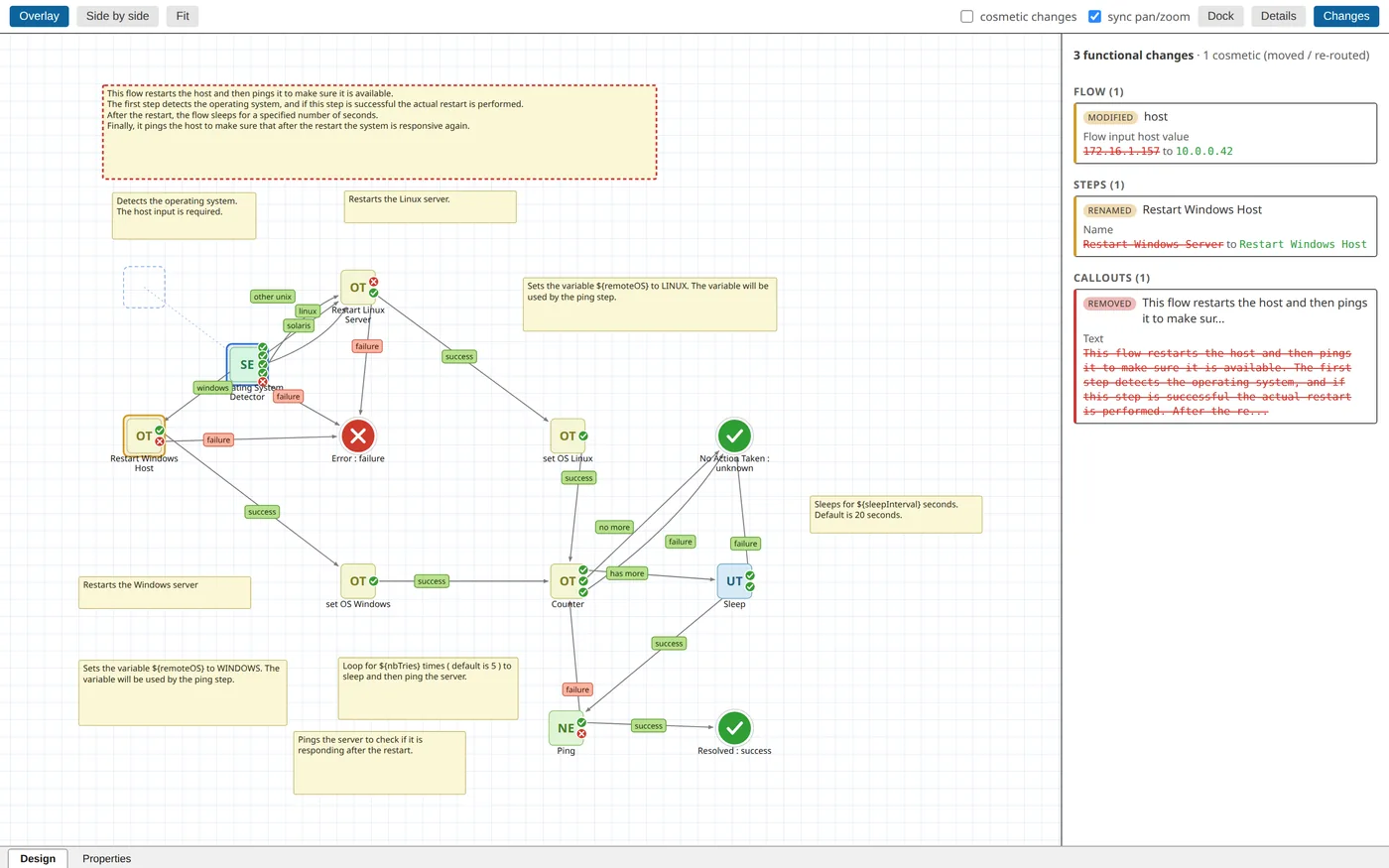
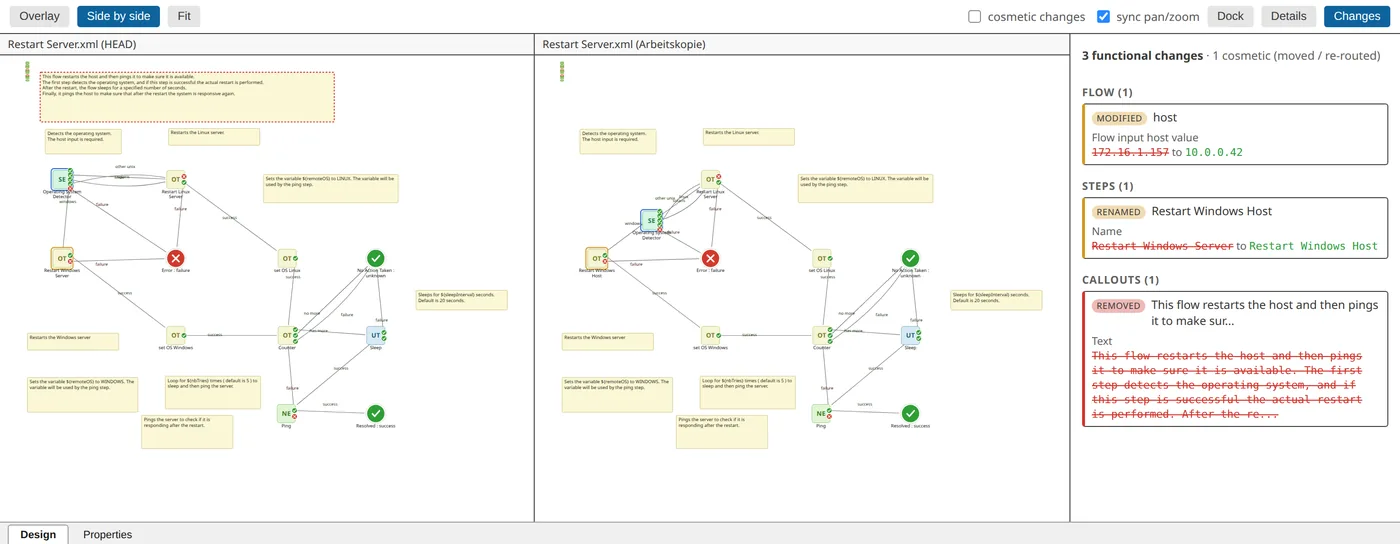
Diff mode compares two revisions semantically: as an overlay with a change list or side by side with synchronised zoom. Renamed steps, changed inputs and removed transitions are highlighted, while pure layout moves can be hidden.
Tech stack
| Layer | Technology |
|---|---|
| Language | TypeScript |
| Platform | VS Code Extension API, webviews, custom editors |
| Rendering | custom canvas/SVG renderer in Studio layout |
| Versioning | Git integration for revisions and diffs |
| Build | esbuild, vsce |
Independent product, not affiliated with OpenText. OpenText is a trademark of Open Text Corporation.
Skills
More projects
Planning something similar?
Tell me by email what you have in mind. The first conversation is free.